Features
Everything ZingaShop can do
Build and run online storefronts end to end. Explore each capability below — every screen is one you'll actually use.
Watch
See ZingaShop before you sign up for it
Short walkthroughs filmed in the real console. Nothing on screen is a mockup — if a field is in the video, it is in the product.
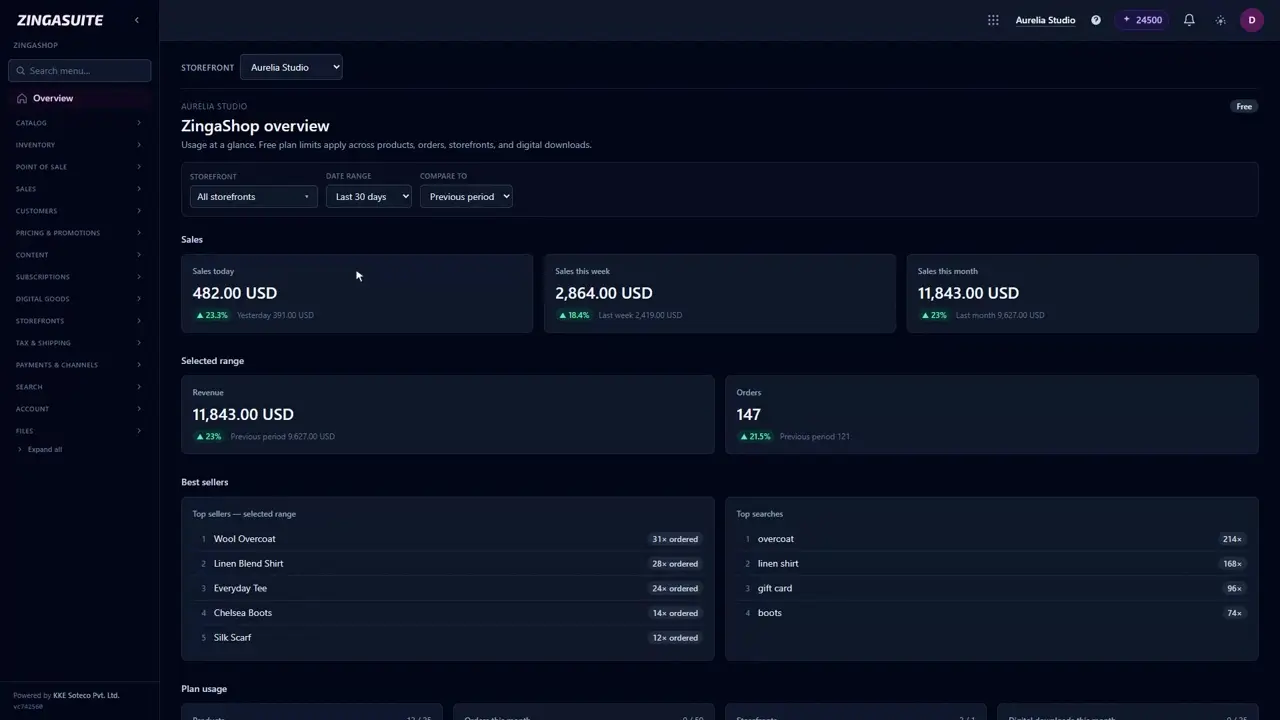 1:44
What is ZingaShop? A quick tour of the console
Just signed up and not sure where anything is? This is the short tour of the ZingaShop console — what each part of the sidebar does, and where to start.
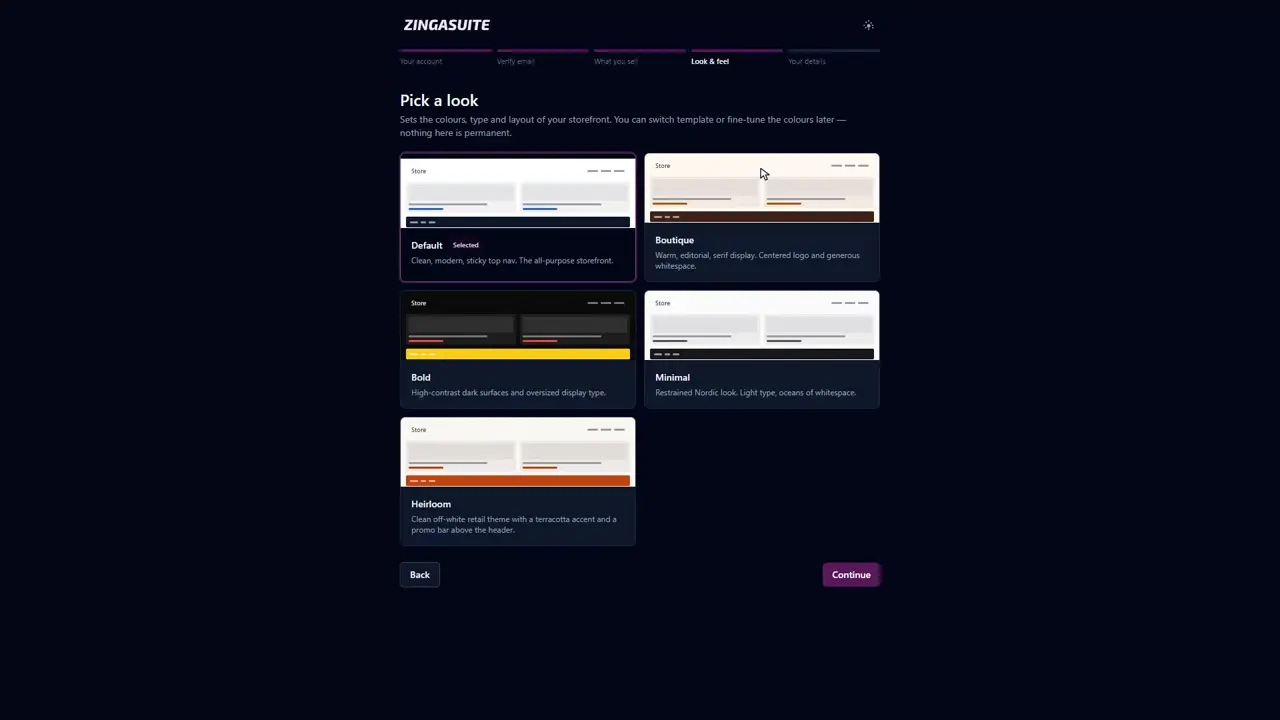 2:02
Launch your ZingaShop store in under ten minutes
Setting up an online store sounds like a weekend job. It is a short form. This is the whole ZingaShop setup wizard, start to finish, ending on a storefront that is live.
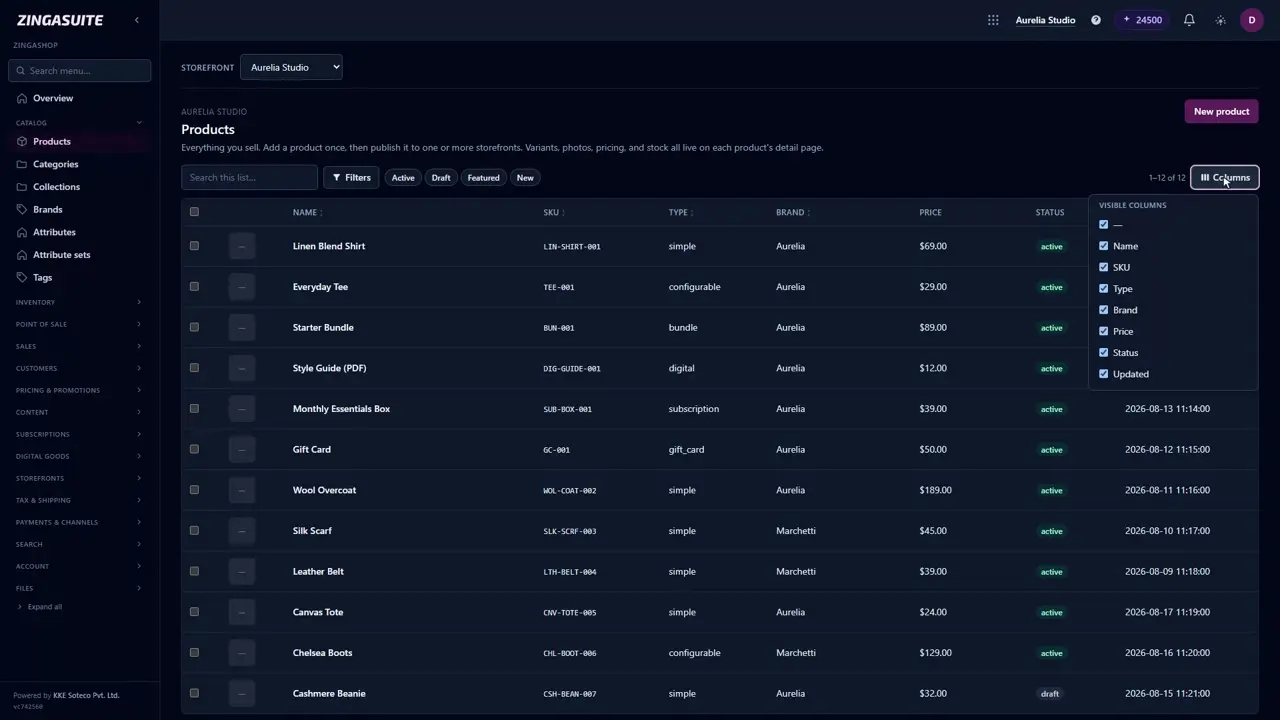 1:40
Finding your way around the ZingaShop console
ZingaShop has a lot of pages, and almost all of them behave the same way. Learn the pattern once and the rest of the app stops being a maze.
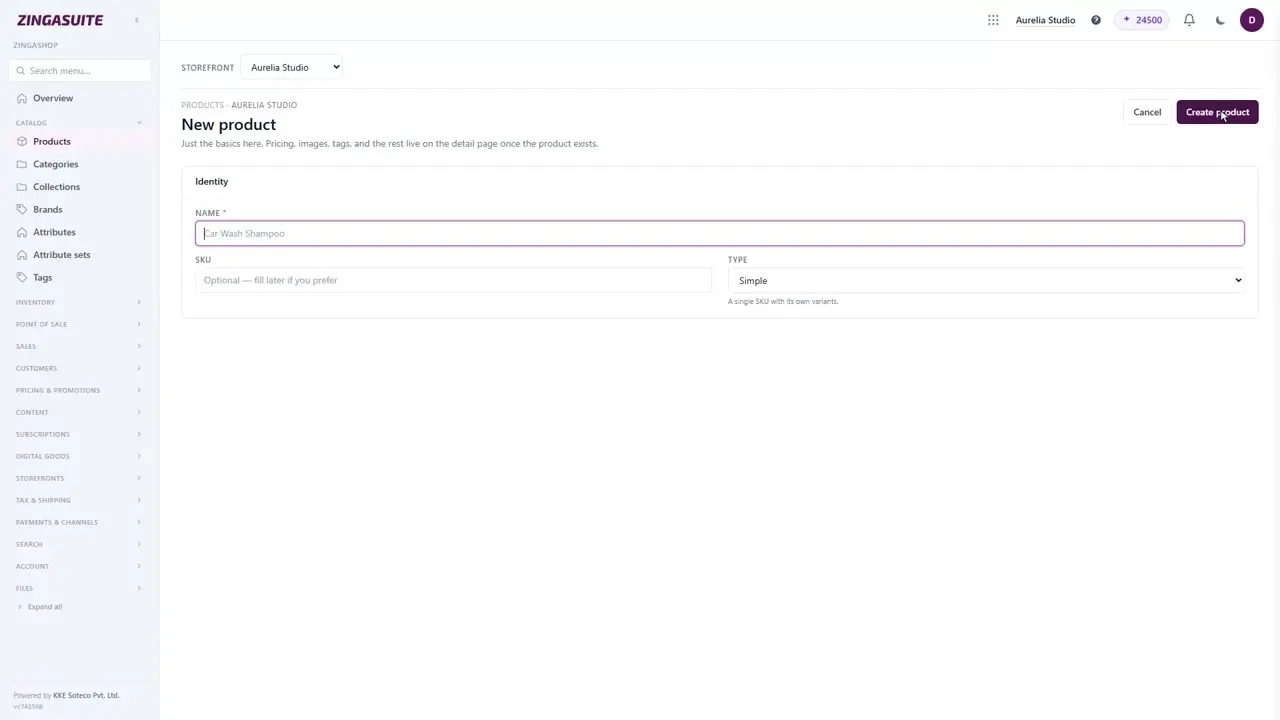 1:25
Add your first product in ZingaShop
An empty catalog is the thing standing between you and your first sale. Here is how to put a product in it, and what the detail page expects once it exists.
Storefronts
One catalog, many storefronts
Spin up a store per brand, market or language — each with its own domain(s), currency, locale, timezone and theme, all served from one catalog.
- Custom domains via Cloudflare for SaaS
- Per-store currency, locale & tax
- Draft/preview before you go live
 Placeholder
 Placeholder
Catalog
Model anything you sell
From simple products to configurable variants, bundles, digital goods, subscriptions and gift cards — organised with nested categories, brands, collections and reviews.
- Variants, bundles & digital goods
- Nested categories, brands & collections
- Customer reviews with media
ZingaShop
Everything your store needs, in one portal
From catalog to checkout to counter to channels — no plugins, no glue code, no separate tools to reconcile at the end of the month.
Orders & fulfillment
From cart to delivered
Track every order through its lifecycle with payment and fulfillment status, shipments, partial cancellations, refunds, invoices and delivery documents.
- Guest & registered checkout
- Partial cancel & refund flows
- Invoices & delivery docs
 Placeholder
In-store POS
Sell at the counter, on the same catalog
Open a register in the browser, ring up a sale from a touch product grid, split the tender across cash and card, and close the drawer with a Z-report that reconciles itself. Every sale lands in the same order list as your online ones.
- Touch product grid & split tenders
- Cash drawer: float, pay-in/out, Z-report
- One stock pool with the storefront
Sales channels
Sell beyond your storefront
Push your catalog to Google Merchant, Meta Commerce and Amazon from the same product data — with category mapping and per-product channel control.
- Google Merchant & Meta Commerce
- Amazon SP-API sync
- Per-product channel toggles
 Placeholder
 Placeholder
Promotions & content
Market and merchandise
Run a discount engine with coupons, gift cards, loyalty and referrals — and build content with CMS pages, a blog, banners and a visual page builder.
- Discounts, coupons & gift cards
- Loyalty & referral programs
- Visual page builder & blog
Everything included
A complete commerce toolkit
Orders
Full lifecycle, payments, shipments, cancellations & refunds.
Inventory
Warehouses, on-hand/reserved/available, bulk & CSV editing.
Customers
Records, groups, a self-service account portal — shared with ZingaConnect.
Sales channels
Sync your catalog to Google, Meta and Amazon.
Promotions
Discounts, coupons, gift cards, loyalty & referrals.
In-store POS
Touch register, cash drawer and Z-report on the same catalog.
Content
CMS pages, blog, banners and a visual page builder.
Storefront widgets
FOMO ticker, free-gift bar, spin-to-win, upsells and combos.
Automations
Order events trigger tags and emails, no code.
AI-native
One AI-credit pool. Every app.
Buy credits once and spend them anywhere in the suite — generate a product page in ZingaShop, analyze an exam in Zingalify, or answer a customer in Zingasolve. No per-app wallets.
| App | Action | Credits |
|---|---|---|
| ZingaShop | Generate a full product page | 40 |
| ZingaConnect | Draft an email / SMS campaign | 10 |
| Zingalify | AI analysis of an attempt | 20–250 |
| Zingasolve | AI support answer | 10 |
New workspaces start with 250 free credits. Costs shown are typical; exact amounts appear before every AI action.
Guides
ZingaShop guides
The Best Ecommerce Website Builders in 2026, and How We'd Choose Between Them
We build an ecommerce platform and sell on it, and we've made most of the mistakes this guide warns about. Here is how we'd choose a builder, and where each of the big ones fits.
AI Store Builders: What They Build, What They Leave You, and How to Choose
Every store platform now has an AI builder. They differ less in what they make on day one than in what they leave for you afterwards. Here's how to tell them apart.
How to Create an Ecommerce Website Using Claude, Step by Step
A real walkthrough of building an online store with Claude, from the first prompt to launch, then what it takes to keep it running and the shorter route we'd take.
How to Create an Ecommerce Website Using ChatGPT, Step by Step
ChatGPT won't host your store, but it can write nearly all of it. Here's how to use it well at every step, what the store costs to keep running, and the shorter route.
How to Create an Ecommerce Website Using Grok, Step by Step
Grok can research your market and write your store's code. Here's how to do both properly, what the store costs once it's live, and the easier route we'd take.
How to Start an Online Store in 2026: A Step-by-Step Guide
Ten practical steps from idea to first order: what to sell, the business basics, your store, payments, shipping, launch and your first customers.
Choosing an Ecommerce Platform for a Small Business: What Actually Matters
A small business has less time and less cash than the customers most platforms are built for. Here is how to choose one that fits, with the costs worked out.
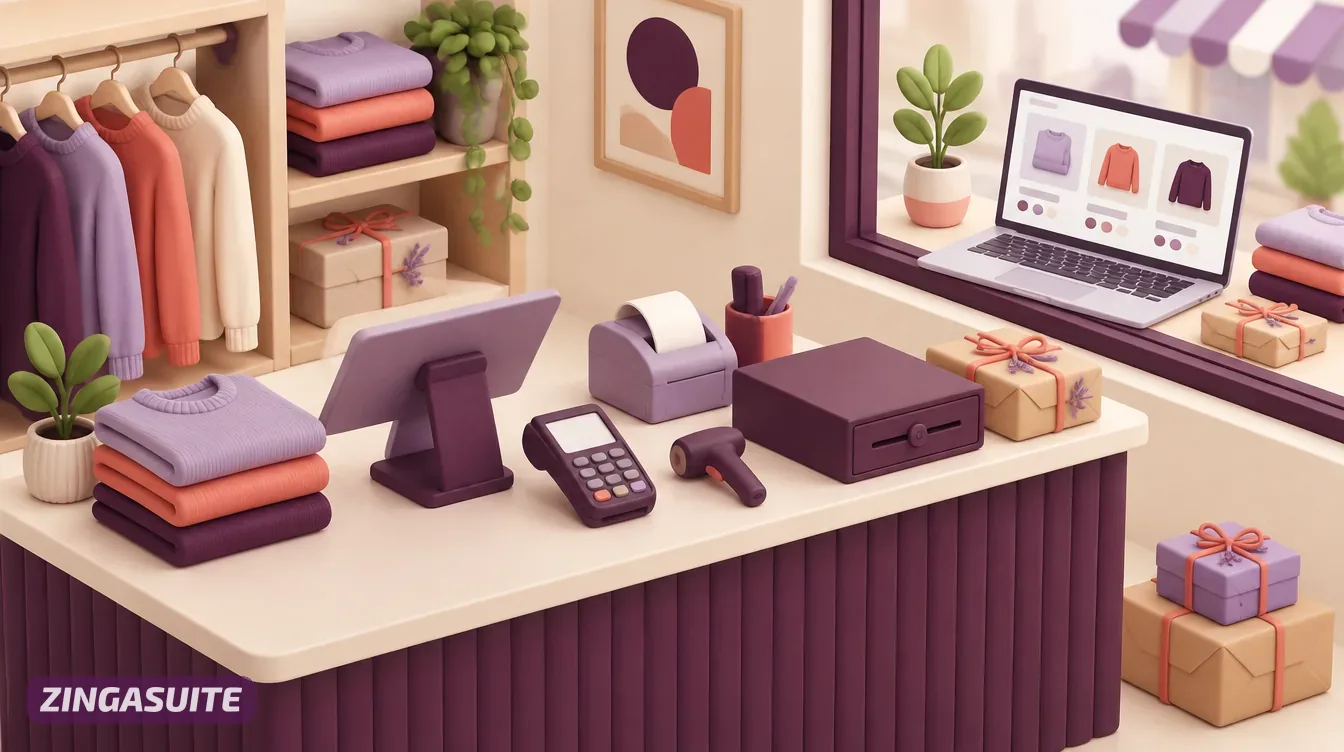
Point of Sale (POS) Systems: How to Choose the Right One for Your Shop
A POS system is more than a till: it is your stock control, your sales record and, if you sell online too, the link between the counter and the website. Here is how to choose one.

Customer Loyalty Programs: How to Design One That Pays for Itself
A loyalty program should make your best customers buy more often, not give away margin to people who would have bought anyway. Here is how to design one.
Ready to try ZingaShop?
Pick what you sell and we'll hand you a stocked, live storefront in a couple of minutes. It's part of the ZingaSuite platform — one login, one AI-credit pool.