A point of sale (POS) system is the software and hardware you use to ring up sales in person: at a shop counter, a café, a market stall or a pop-up. Modern POS systems also track stock, record every sale for your accounts, manage staff shifts and, if you sell online as well, keep your in-store and online inventory in step.
What a POS system does
- Ring up sales by scanning barcodes, searching products or tapping tiles.
- Take payment in cash, card, mobile wallets and gift cards, including split payments.
- Print or email receipts, and handle refunds and exchanges.
- Update stock the moment an item sells.
- Run shifts: opening float, cash in and out, and an end-of-day report that reconciles the drawer.
- Report on sales by product, staff member, hour and payment method.
The hardware you actually need
Most small shops start with far less than a full counter setup:
- A device: a tablet, laptop or touchscreen PC. Browser-based POS software runs on whatever you have.
- A card terminal from your payment provider or bank.
- A barcode scanner: a basic USB or Bluetooth scanner is enough and works like a keyboard.
- A receipt printer and cash drawer, if you take cash. Many customers are happy with emailed receipts.
Start with the device, card terminal and scanner. Add the rest when you know you need it.
Integrated vs. standalone card payments
This is the biggest structural choice. An integrated POS sends the amount to the card terminal automatically, and usually requires you to use the POS vendor's own payment processing at its rates. A standalone setup has you key the amount into a terminal from your own bank or processor and record the payment in the POS. Integrated is faster at a busy counter; standalone lets you keep the processor and rates you already have. Compare the effective processing rate, not only the software price.
Features that matter for small shops
- Works offline. Internet drops at the worst times. A POS that keeps selling offline and syncs later protects your takings.
- One catalog for in-store and online. If you run a web store, the POS should share its products and stock, so you don't sell the last one twice.
- Multiple registers and staff logins, with permissions for refunds and discounts.
- Shift and cash management with an end-of-day (Z) report that shows expected vs. counted cash.
- Customer lookup at the till, for loyalty, store credit and email receipts.
- Gift cards and store credit that work both in-store and online.
- Tax handled properly for your region.
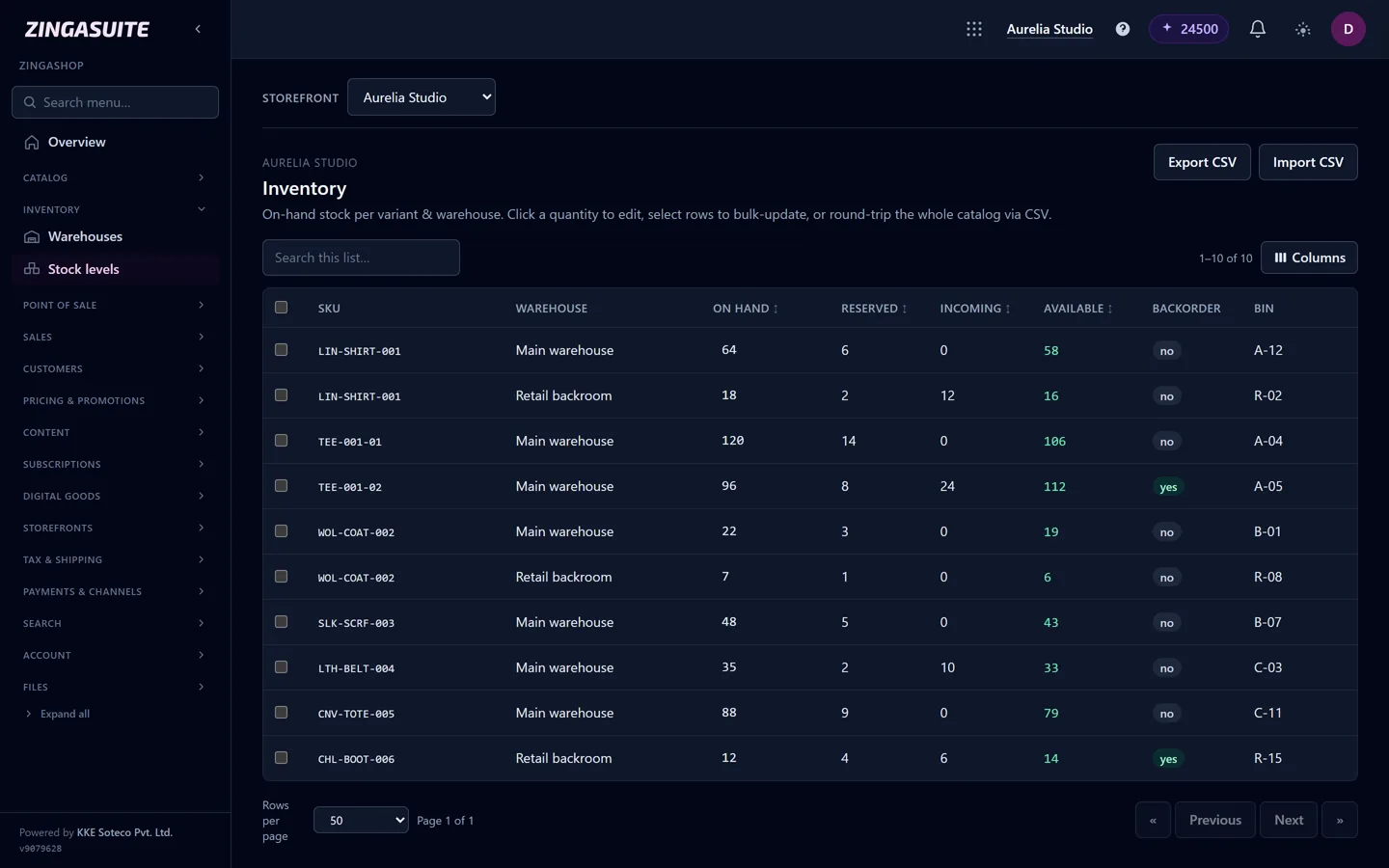
One stock count for the counter and the website: each sale, online or in store, updates the same inventory.
Tax and payments by region
- United States: sales tax varies by state and often by city or county, and some items are exempt. Your POS needs the right rate for your location and product types. Contactless cards and mobile wallets are now standard at the counter.
- Canada: GST, HST or GST plus PST depending on the province. Receipts should show the tax breakdown, and Interac debit is expected alongside credit cards.
- United Kingdom: prices are shown including VAT, and VAT-registered businesses keep digital records under Making Tax Digital. Contactless is the default for most purchases.
- European Union: VAT-inclusive pricing, rates that vary by country and product category, and in several countries specific fiscal rules for cash registers. Check your country's requirements before choosing hardware.
- Australia: prices include GST, and a tax invoice is required on request for sales above a threshold. EFTPOS and contactless are near-universal, so card acceptance is essential.
How POS pricing works
- Software subscription: per location or per register, per month, with advanced features in higher tiers.
- Payment processing: a percentage per card transaction, sometimes plus a fixed fee. For many shops this is the largest cost by far.
- Hardware: bought outright, leased or bundled.
- Add-ons: loyalty, advanced inventory, e-commerce or accounting integrations.
How to choose
- List how you sell: counter, table service, markets, online as well.
- Decide on integrated or standalone card payments, based on your processing costs.
- Check it works offline and on the hardware you already own.
- If you sell online, insist on one shared catalog and stock count.
- Run a full test day: open a shift, sell, refund, close the shift and read the report.
Where ZingaShop POS fits
ZingaShop includes an in-store POS app on the Growth plan ($49/month). It runs in the browser as an installable app, keeps selling when the internet drops and syncs queued sales when it returns, and uses the same catalog, stock and customers as your ZingaShop online store. It supports multiple registers, cash drawer shifts with cash-in and cash-out, end-of-day Z-reports, refunds to the original payment, split tenders (cash with change, card, gift card and more), USB barcode scanners and receipt printers.
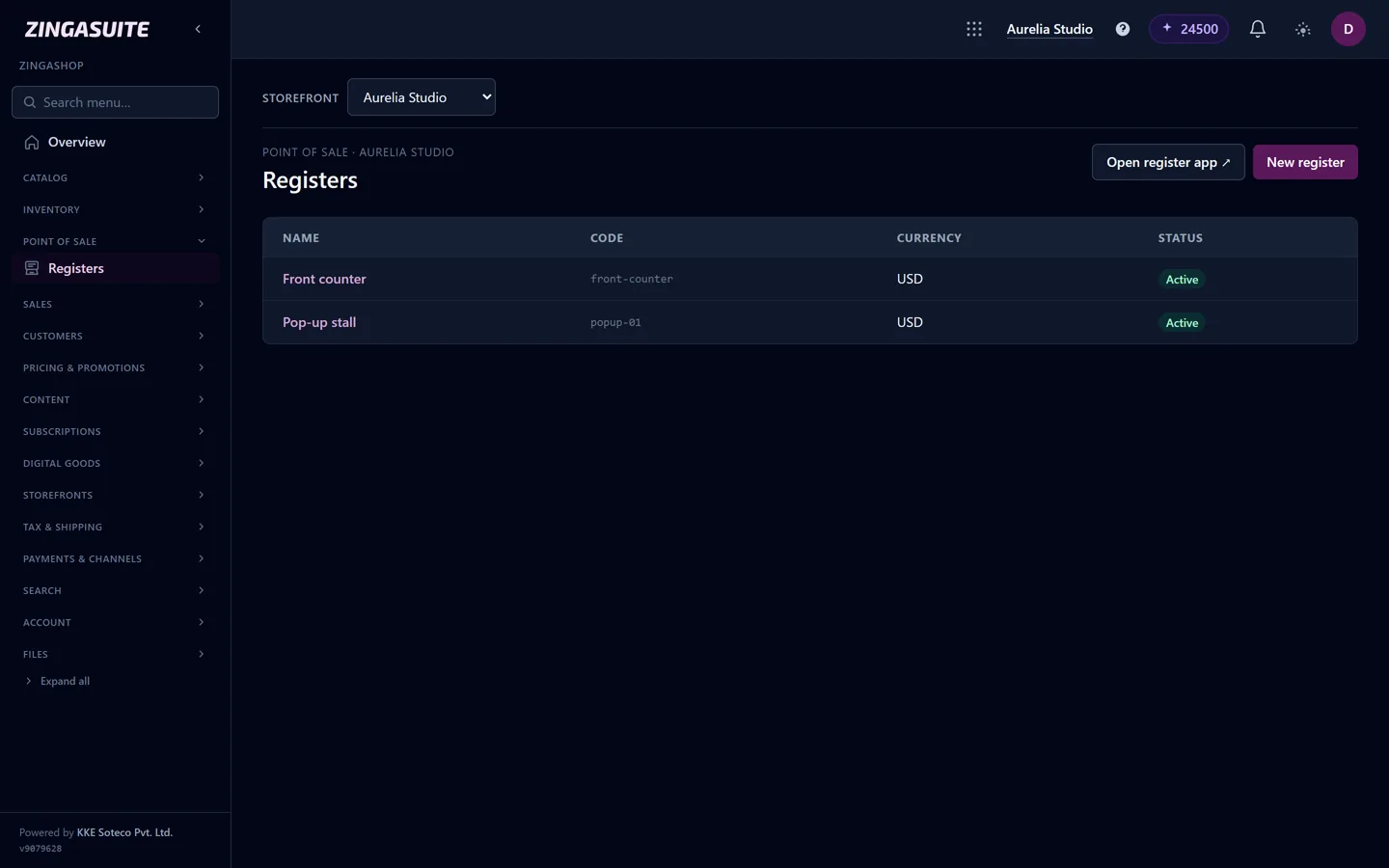
Registers in the ZingaShop console: one per counter or pop-up, each opening its own shifts in the register app.
Card payments are standalone: you take the card on your own terminal and record it in the POS, so you keep your existing processor and rates. If you need a fully integrated card terminal, a POS tied to a payment processor is the better fit. See ZingaShop POS for the full feature list.
FAQ
Common questions
What is a POS system?
How much does a POS system cost?
Can a POS system work offline?
Do I need special hardware?
Can I use one system for my shop and my website?
Sell in-store and online from one catalog
ZingaShop's POS shares products, stock and customers with your online store.