Features
Everything ZingaShop can do
Build and run online storefronts end to end. Explore each capability below — every screen is one you'll actually use.
Watch
See ZingaShop before you sign up for it
Short walkthroughs filmed in the real console. Nothing on screen is a mockup — if a field is in the video, it is in the product.
 1:44
1:44
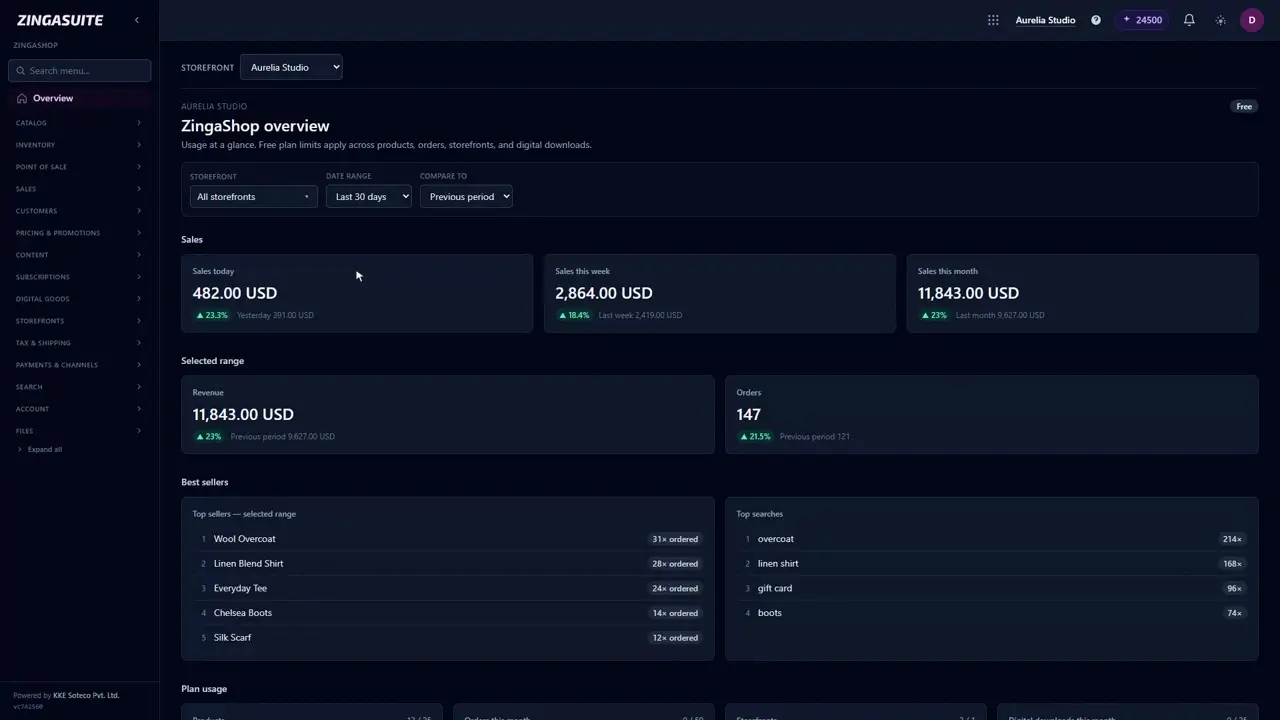
What is ZingaShop? A quick tour of the console
Just signed up and not sure where anything is? This is the short tour of the ZingaShop console — what each part of the sidebar does, and where to start.
 2:02
2:02
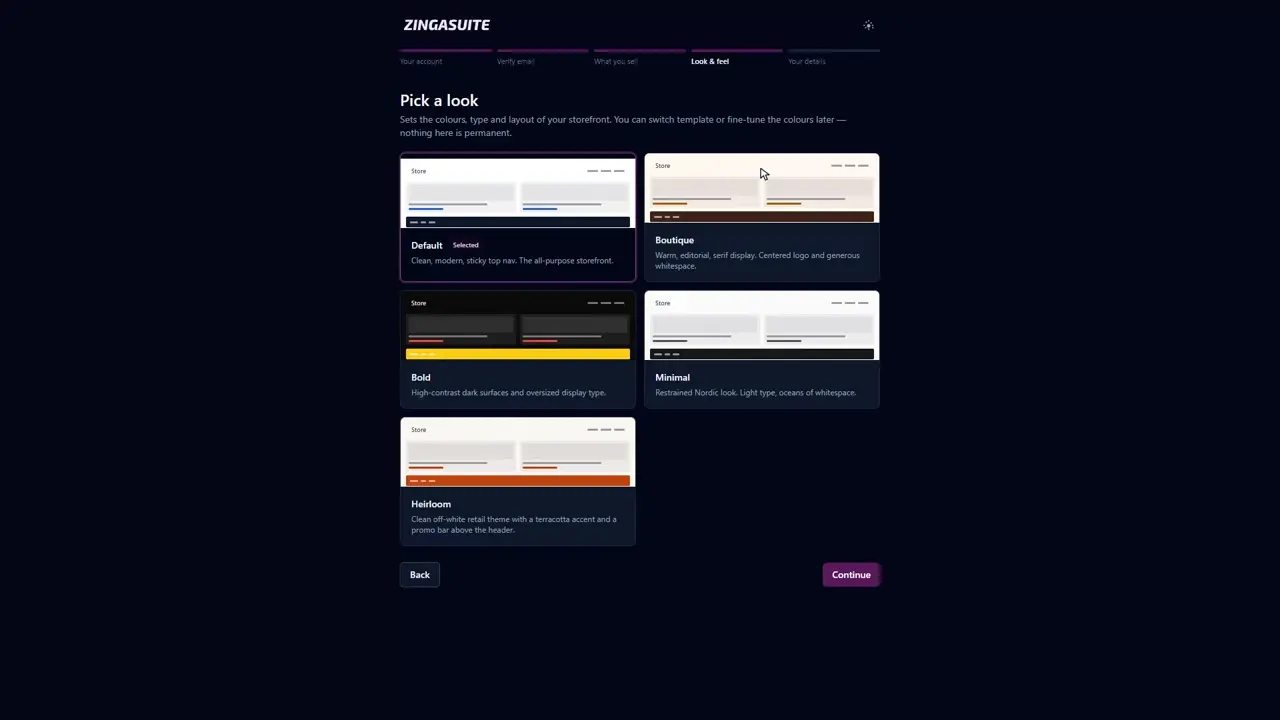
Launch your ZingaShop store in under ten minutes
Setting up an online store sounds like a weekend job. It is a short form. This is the whole ZingaShop setup wizard, start to finish, ending on a storefront that is live.
 1:40
1:40
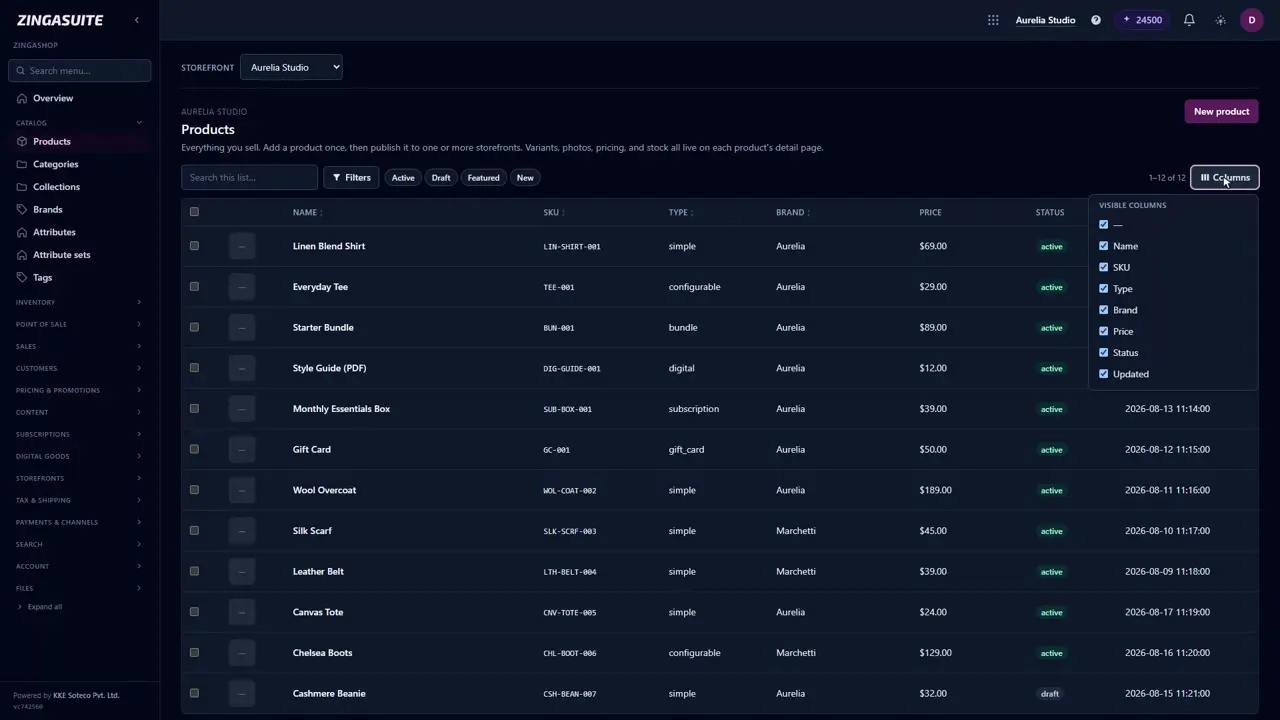
Finding your way around the ZingaShop console
ZingaShop has a lot of pages, and almost all of them behave the same way. Learn the pattern once and the rest of the app stops being a maze.
 1:25
1:25
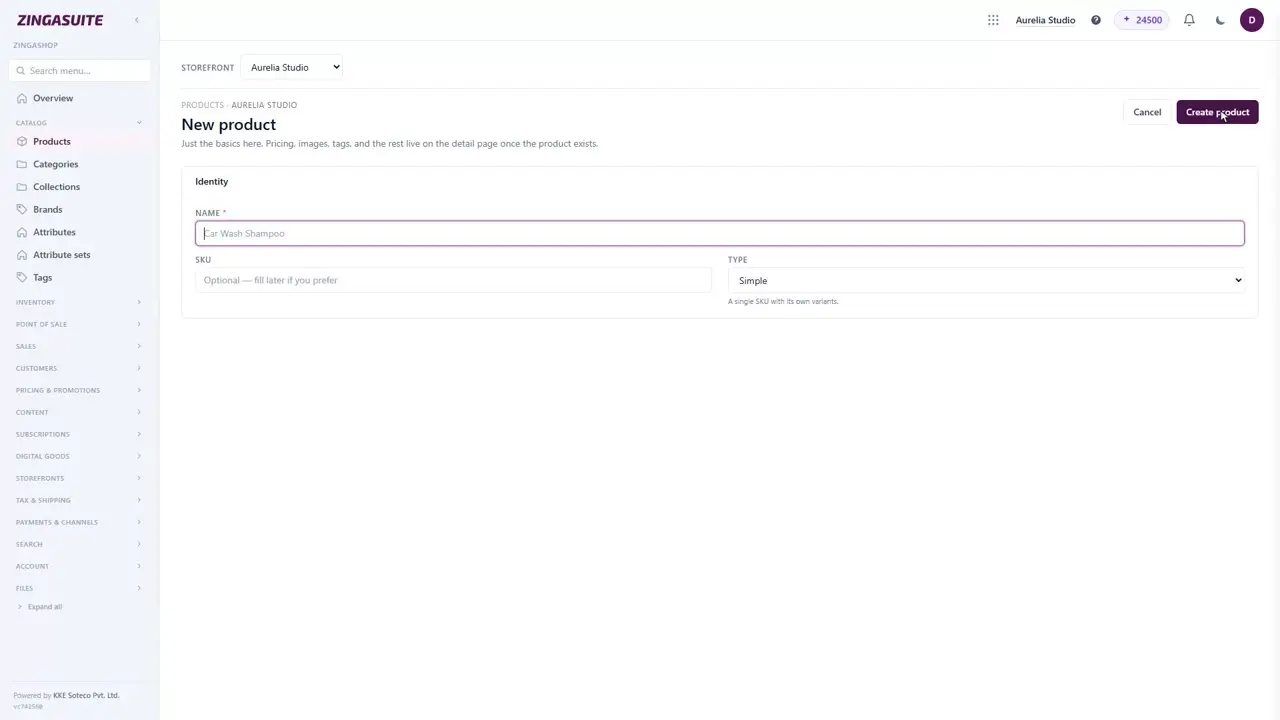
Add your first product in ZingaShop
An empty catalog is the thing standing between you and your first sale. Here is how to put a product in it, and what the detail page expects once it exists.
Storefronts
One catalog, many storefronts
Spin up a store per brand, market or language — each with its own domain(s), currency, locale, timezone and theme, all served from one catalog.
- Custom domains via Cloudflare for SaaS
- Per-store currency, locale & tax
- Draft/preview before you go live
 Placeholder
 Placeholder
Catalog
Model anything you sell
From simple products to configurable variants, bundles, digital goods, subscriptions and gift cards — organised with nested categories, brands, collections and reviews.
- Variants, bundles & digital goods
- Nested categories, brands & collections
- Customer reviews with media
ZingaShop
Everything your store needs, in one portal
From catalog to checkout to counter to channels — no plugins, no glue code, no separate tools to reconcile at the end of the month.
Orders & fulfillment
From cart to delivered
Track every order through its lifecycle with payment and fulfillment status, shipments, partial cancellations, refunds, invoices and delivery documents.
- Guest & registered checkout
- Partial cancel & refund flows
- Invoices & delivery docs
 Placeholder
Placeholder
Placeholder
In-store POS
Sell at the counter, on the same catalog
Open a register in the browser, ring up a sale from a touch product grid, split the tender across cash and card, and close the drawer with a Z-report that reconciles itself. Every sale lands in the same order list as your online ones.
- Touch product grid & split tenders
- Cash drawer: float, pay-in/out, Z-report
- One stock pool with the storefront
Sales channels
Sell beyond your storefront
Push your catalog to Google Merchant, Meta Commerce and Amazon from the same product data — with category mapping and per-product channel control.
- Google Merchant & Meta Commerce
- Amazon SP-API sync
- Per-product channel toggles
 Placeholder
 Placeholder
Promotions & content
Market and merchandise
Run a discount engine with coupons, gift cards, loyalty and referrals — and build content with CMS pages, a blog, banners and a visual page builder.
- Discounts, coupons & gift cards
- Loyalty & referral programs
- Visual page builder & blog
Everything included
A complete commerce toolkit
Orders
Full lifecycle, payments, shipments, cancellations & refunds.
Inventory
Warehouses, on-hand/reserved/available, bulk & CSV editing.
Customers
Records, groups, a self-service account portal — shared with ZingaConnect.
Sales channels
Sync your catalog to Google, Meta and Amazon.
Promotions
Discounts, coupons, gift cards, loyalty & referrals.
In-store POS
Touch register, cash drawer and Z-report on the same catalog.
Content
CMS pages, blog, banners and a visual page builder.
Storefront widgets
FOMO ticker, free-gift bar, spin-to-win, upsells and combos.
Automations
Order events trigger tags and emails, no code.
AI-native
One AI-credit pool. Every app.
Buy credits once and spend them anywhere in the suite — generate a product page in ZingaShop, analyze an exam in Zingalify, or answer a customer in Zingasolve. No per-app wallets.
| App | Action | Credits |
|---|---|---|
| ZingaShop | Generate a full product page | 40 |
| ZingaConnect | Draft an email / SMS campaign | 10 |
| Zingalify | AI analysis of an attempt | 20–250 |
| Zingasolve | AI support answer | 10 |
New workspaces start with 250 free credits. Costs shown are typical; exact amounts appear before every AI action.
Ready to try ZingaShop?
Pick what you sell and we'll hand you a stocked, live storefront in a couple of minutes. It's part of the ZingaSuite platform — one login, one AI-credit pool.