
Search for the best ecommerce website builder and you will find a dozen "top 10" lists that all crown a different winner. The honest answer is that the right builder depends on three things: what you sell, where your customers are, and how much of the business you want in one place. This guide gives you a way to decide, then walks through where each of the main options fits.
Disclosure: we make ZingaShop, one of the builders below. We have kept the comparison to things you can check yourself, and we say where another tool is the better choice.
What to compare before anything else
Feature lists are long and mostly identical. These seven points are where builders actually differ, and where most regrets come from.
- Total monthly cost, not the plan price. Add the plan, any transaction fee the platform takes on top of card processing, the paid apps you will need for reviews, subscriptions or email, and the theme. A $29 plan routinely becomes $120 once the app bills arrive.
- Payment gateways in your country. A builder is only useful if it takes the way your customers pay: UPI and cash on delivery in India, local cards and wallets across Southeast Asia and Africa, PayPal almost everywhere. Check before you design a single page.
- How fees scale with you. A percentage of every sale looks small on day one and is the largest line on the bill at scale. A flat fee per order, or none, behaves very differently as you grow.
- Where else you can sell. Free Google listings, Instagram and Facebook shops, marketplaces such as Amazon, and an in-store till. Built-in channels save you a connector app and a sync headache each.
- Catalog depth. Variants, bundles, digital downloads, B2B price lists, several storefronts or currencies. Easy to ignore at launch and expensive to migrate for later.
- Speed. Page speed affects both conversion and search ranking. Test a live store built on the platform on a phone, not the vendor's demo on your laptop.
- What you keep if you leave. Can you export products, customers and orders as CSV? Do URLs redirect? Lock-in is a cost you pay later.
The main options, and who each one suits
Shopify: the largest ecosystem
Shopify is the default for a reason: polished checkout, thousands of themes and the biggest app store in ecommerce. If you need a niche capability, someone has probably built an app for it. The trade-off is that much of the functionality lives in those apps, each with its own monthly charge, and Shopify adds its own transaction fee when you use a payment gateway other than Shopify Payments. Best for: brands that want the widest choice of add-ons and have the budget to assemble them.
Wix and Squarespace: design first
Both started as website builders and added commerce. They are the quickest way to a good-looking site with a small catalog, and they suit creators, studios and service businesses that sell some products. Deeper commerce needs, such as complex variants, multiple warehouses or marketplace sync, get harder as you grow. Best for: small catalogs where the brand and the pages matter more than operations.
WooCommerce: open source on WordPress
WooCommerce is free to install and endlessly customisable, and you own everything. You also run everything: hosting, security updates, backups, plugin conflicts and performance tuning. The software is free; the time and the developer are not. Best for: teams with WordPress skills, or an existing WordPress site with a strong content audience.
BigCommerce: more built in
BigCommerce includes more features out of the box than most hosted platforms, with particular strength in B2B and larger catalogs. It suits growing mid-size merchants more than someone launching a first store. Best for: established merchants with bigger catalogs or wholesale needs.
ZingaShop: store, CRM and messaging in one account
ZingaShop is the commerce app in ZingaSuite. The store, the customer records, WhatsApp and email messaging, support docs and link tracking share one login and one customer list, so you are not paying for and syncing five tools. Pricing is a plan plus a small flat fee per order, never a percentage of your sales. You connect your own payment gateway (Razorpay, PayU, PayPal, Stripe, cash on delivery and others), so the money goes straight to you.
- A free plan with up to 50 products on a free myzinga.shop address; paid plans from $19/month add a custom domain.
- Google, Meta and Amazon channels, promotions and loyalty, gift cards, multi-currency storefronts and an in-store POS on the higher plans.
- The setup wizard gives you a live store with a starter catalog in a couple of minutes.
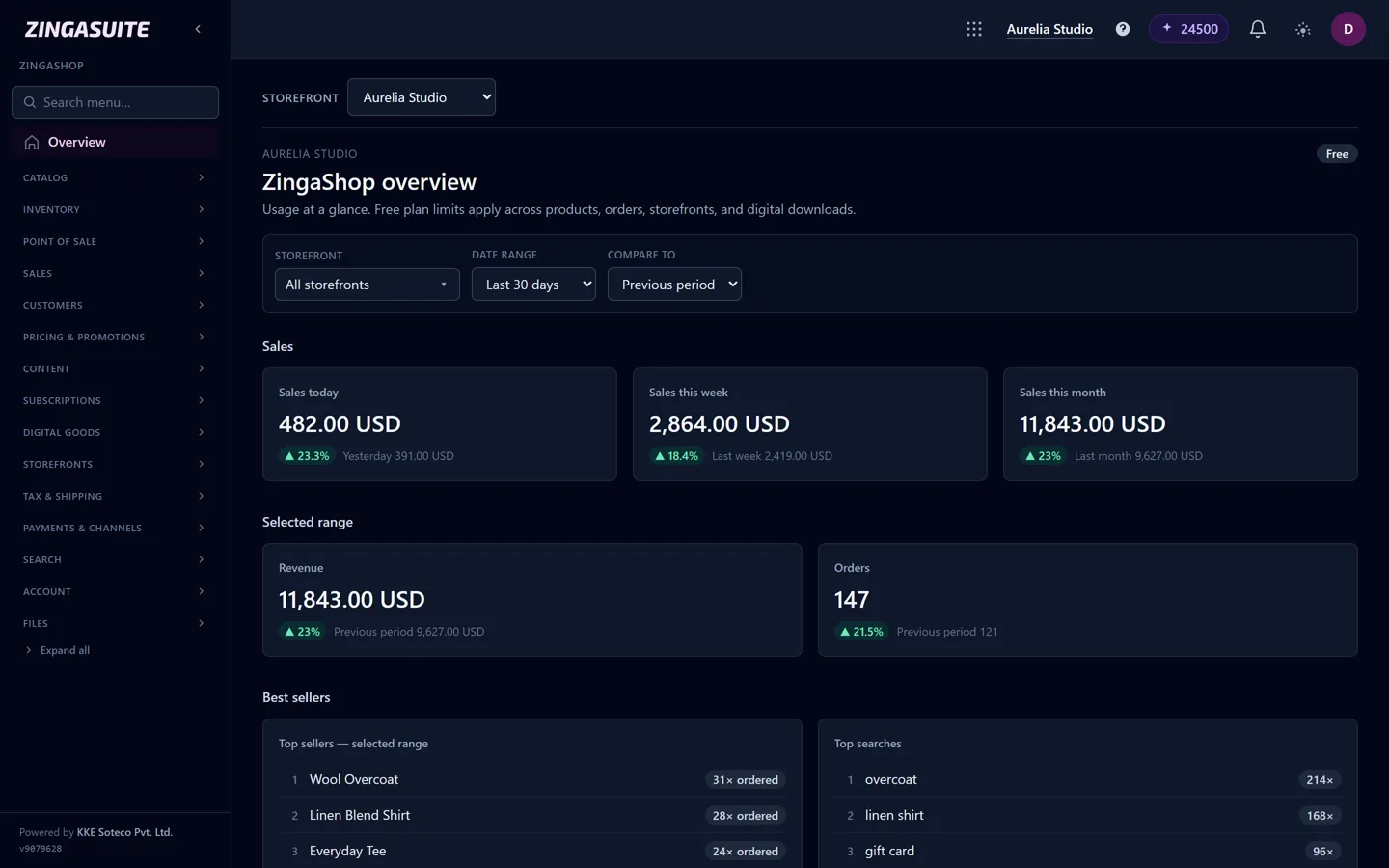
The ZingaShop overview: sales, orders and best sellers across every storefront, on the free plan too.
Where it is weaker: ZingaShop is younger than the platforms above, so there are fewer third-party themes and apps. If your plan depends on a specific marketplace app, check it exists first. Best for: small and growing businesses, particularly in markets where WhatsApp is how customers talk to you, that want one system rather than a stack.
At a glance
How the main builders differ
| Shopify | Wix | WooCommerce | ZingaShop | |
|---|---|---|---|---|
| Free plan | Trial only | Site only; selling needs a paid plan | Free plugin; you pay for hosting | Yes, up to 50 products |
| Fee on top of card processing | With third-party gateways | No | No | Flat per order, never a % |
| Use your own payment gateway | Yes, with an extra fee | Limited list | Yes | Yes |
| You run hosting and updates | — | — | — | |
| CRM and WhatsApp messaging built in | Via apps | Basic | Via plugins | |
| App and theme ecosystem | Largest | Large | Very large | Growing |
Checked September 2026. Plans change often, so confirm the current terms on each vendor's pricing page.
Choosing by country
Most of the search traffic for this question includes a country, and for good reason: payments, tax and customer habits differ more between countries than between builders.
- India: you need UPI, cards and usually cash on delivery, through a gateway such as Razorpay or PayU, plus GST-ready invoices. Customers expect order updates on WhatsApp.
- United Kingdom and Europe: prices shown with VAT included, VAT handling for cross-border sales, and a cookie-consent and privacy setup that meets GDPR.
- Australia and New Zealand: GST-inclusive pricing, local shipping carriers and prices in AUD or NZD.
- Canada: CAD pricing and GST/HST or PST depending on the province you ship to.
- United States: state sales tax rules, which depend on where you have nexus and where you ship.
- Southeast Asia, the Middle East and Africa: a mobile-first storefront, local wallets and bank transfers, and messaging as the main support channel.
Whatever you pick, confirm it supports your gateway and your tax display before you commit. It is the most common reason people rebuild a store in the first year.
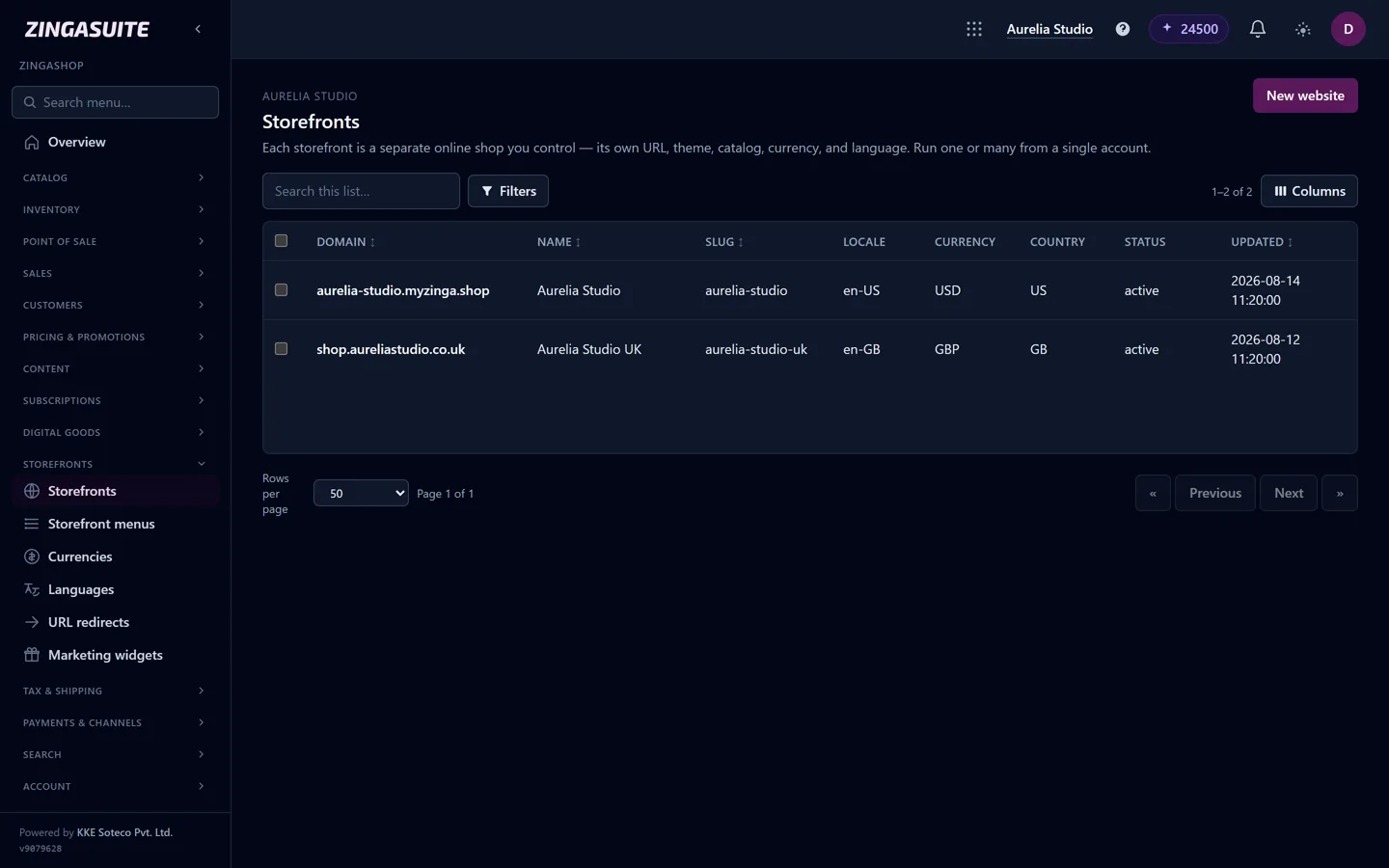
One catalog, two storefronts: a US store in USD and a UK store in GBP, each with its own domain, locale and currency.
A 30-minute test before you decide
- Sign up for your top two choices. Every option here has a free plan or trial.
- Add three real products, with variants if you sell them.
- Connect your actual payment gateway in test mode and place an order on your phone.
- Price your realistic month: the plan, the apps you would need, and fees at your expected order volume.
- Export your products to CSV, so you know you can leave.
The builder that gets through those five steps with the fewest workarounds is your answer. For a fuller walkthrough of launching, see how to start an online store, and for the cost side, choosing a platform for a small business.
FAQ
Common questions
What is the best ecommerce website builder for beginners?
Which ecommerce builder has the lowest fees?
Can I use my own payment gateway?
Is WooCommerce really free?
Can I move my store later?
See how fast a store can go live
Start free on ZingaShop. The wizard sets up a live store with a starter catalog in a couple of minutes.