Starting an online store has never been cheaper, and it has never been easier to spend three months building one that nobody visits. This guide takes the order that avoids that: prove people want it, launch something small, then improve it with real orders. You can do the first version in a weekend.
1. Choose what to sell, and check people want it
Good first products solve a specific problem for a specific group, ship easily and have enough margin to pay for returns and ads. Before you order stock:
- Search for the product and look at who already sells it and at what price. Competition is a good sign; no results at all often means no demand.
- Read the one- and two-star reviews on competing products. Complaints are your product brief.
- Ask ten people in your target group whether they would pay your price. Take pre-orders if you can.
2. Work out your numbers
For each product, write down the cost price, shipping, payment processing (usually 2–3%), packaging, platform fees and expected returns. What is left is your contribution per order, and it has to cover marketing. If a sale only makes money when there are no returns and no ads, change the price or the product now.
3. Sort out the business basics
Requirements depend on your country, but usually include registering the business, a separate bank account, and registering for sales tax, VAT or GST once you pass the threshold. In India that means GST registration for most online sellers; in the UK and EU, VAT registration once you pass the threshold. A one-hour session with a local accountant is well spent.
4. Pick a name and a domain
Choose something short, easy to spell after hearing it once, and available as a domain and a social handle. Check the trademark register before you print anything. You can launch on a free platform address and move to your own domain later.
5. Choose your platform
Compare on total monthly cost, whether it supports your payment gateway, and how fees change as you grow. Our honest guide to ecommerce website builders covers the main options. Whatever you choose, make sure you can export your data.
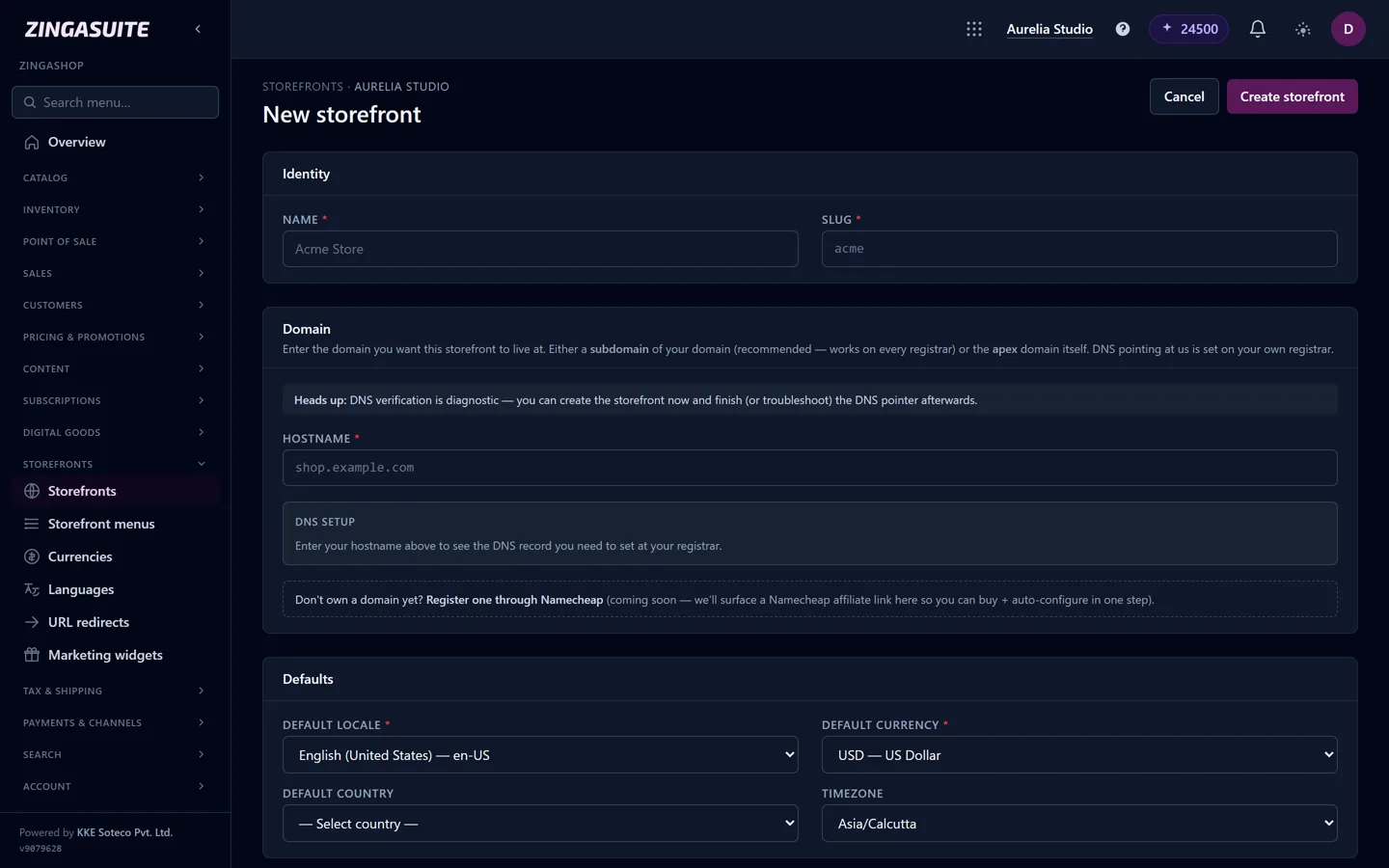
Creating a storefront in ZingaShop: name, domain, default locale, currency and timezone on one screen.
6. Build a small, good catalog
Launch with the products you are most confident in rather than everything you might sell. (Here is how the ZingaShop catalog handles variants, bundles and digital products.) For each one:
- Photos: a clean main image, plus images in use and at scale. Phone photos in daylight beat stock images.
- Title: the words a customer would search for, not your internal name.
- Description: who it is for, what problem it solves, sizes and materials, and what is in the box.
- Price and variants: set up sizes and colours as variants so stock is tracked correctly.
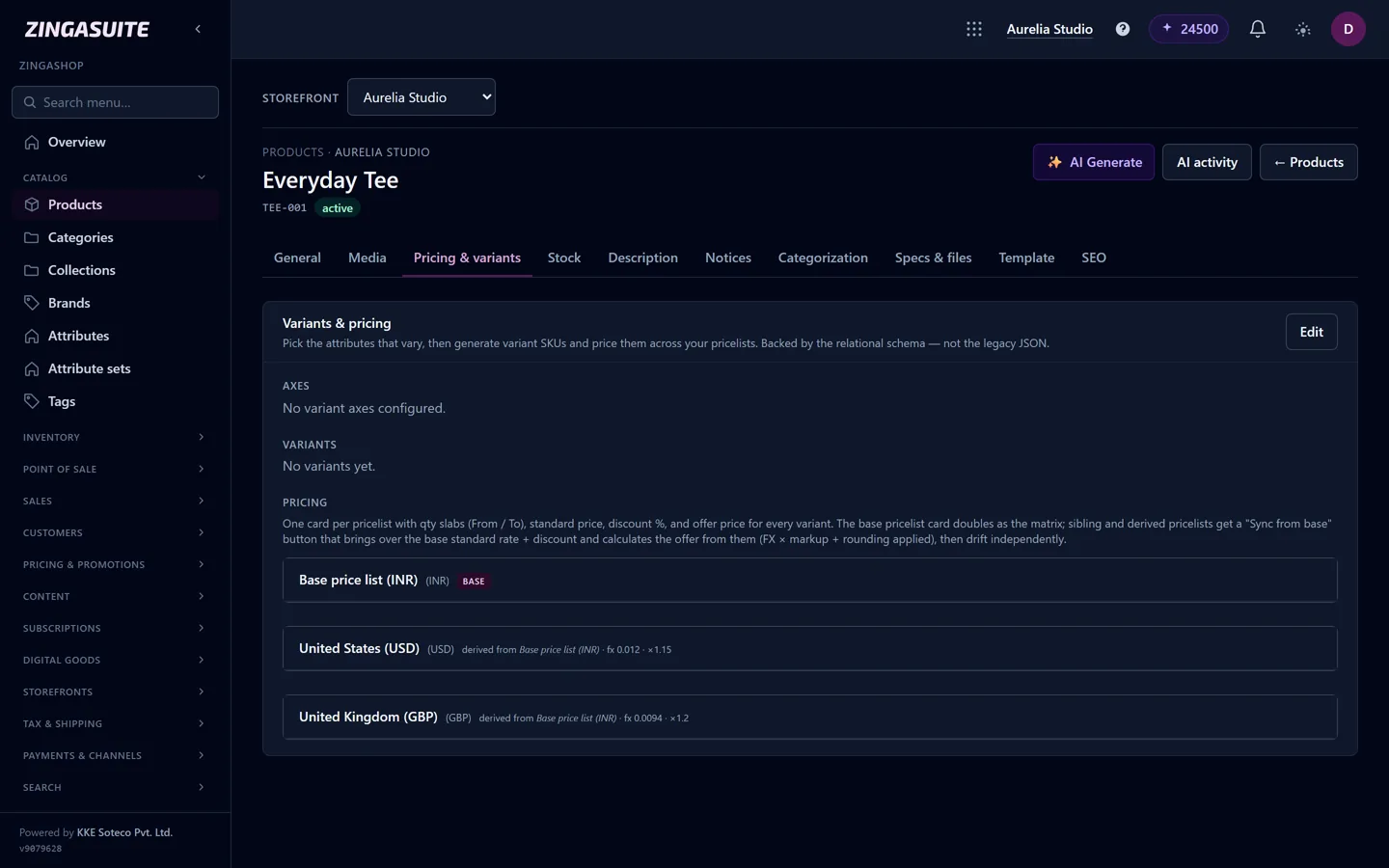
The product editor: variants, per-market pricing, stock, media and SEO fields for each product.
7. Set up payments and shipping
Offer the ways your customers actually pay: cards and PayPal almost everywhere, plus UPI and cash on delivery in India and local wallets in much of Asia and Africa. Place a test order on your phone before launch.
For shipping, start simple: one or two zones, a flat rate or free shipping over a threshold, and delivery times you can actually meet. Be clear about delivery times and returns on every product page; uncertainty kills more checkouts than price.
8. Add the pages customers look for
Shipping and returns, privacy policy, terms, contact details and an About page. These build trust, and payment providers and ad platforms often require them before approving your account.
9. Launch, then find your first customers
- Free Google listings: submit your products to Google Merchant Center and they can appear in Google Shopping at no cost. ZingaShop syncs your catalog to Google, Meta and Amazon.
- Instagram and Facebook: connect a Meta catalog so posts can be tagged with products.
- WhatsApp and email: tell the people who already know you. Your first ten orders usually come from your own network.
- Content: write the guide your customer would search for before buying. It keeps bringing in visitors long after an ad stops.
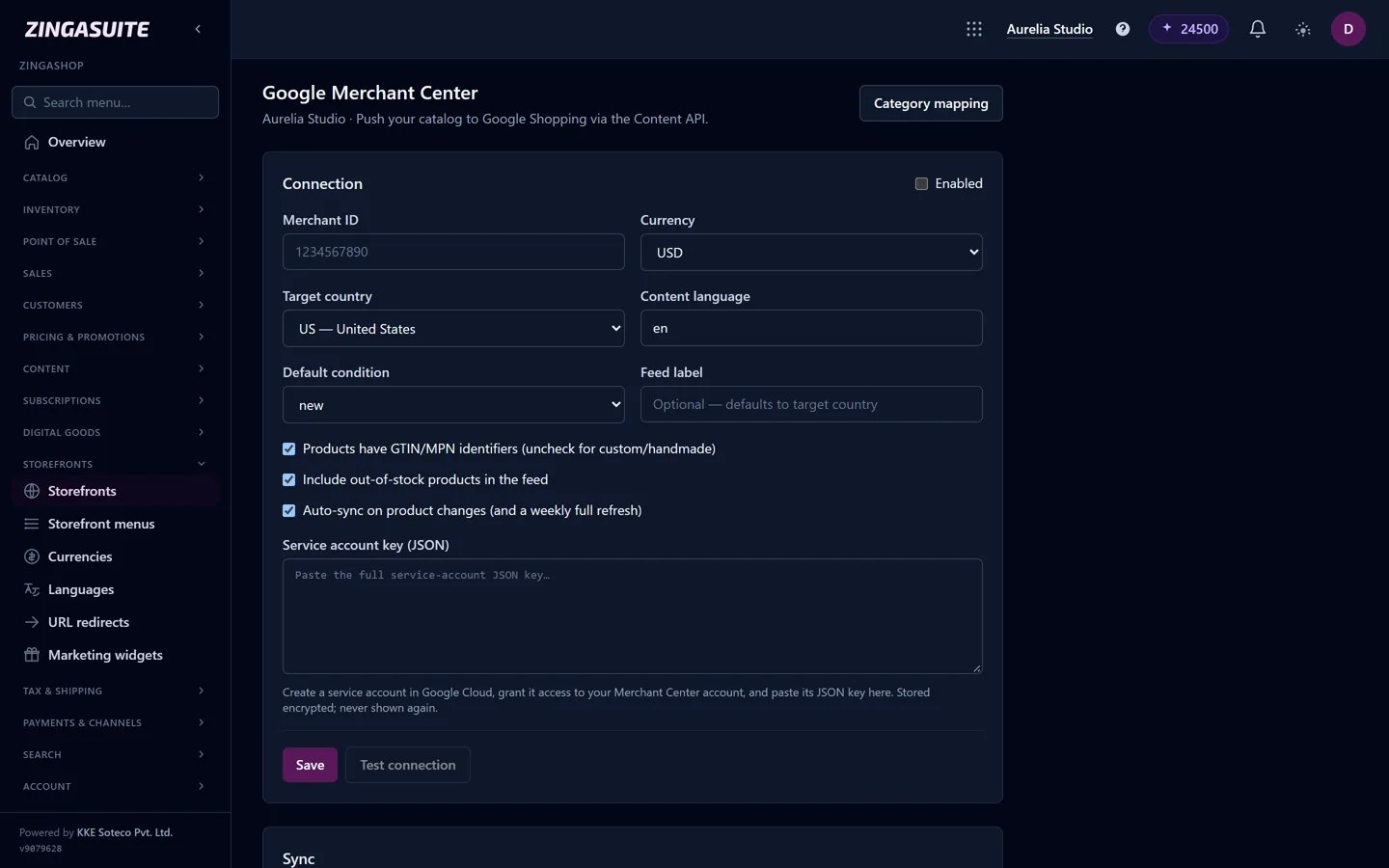
Connecting Google Merchant Center, so products can appear in Google's free listings.
10. Measure and improve
Track four numbers weekly: visitors, conversion rate, average order value and repeat customers. Fix the biggest drop first. Most new stores lose people at shipping costs or at payment, and both are quick to fix.
What it costs to start
A lean online store can start for very little: a free or low-cost platform plan, a domain (around $10–20 a year), and your first stock. The real costs are inventory and marketing, so keep software spending low until the store is making sales.
FAQ
Common questions
How much does it cost to start an online store?
Do I need a registered business to sell online?
How long does it take to launch?
What should I sell online as a beginner?
Launch your first store today
ZingaShop sets up a live store with a starter catalog in a couple of minutes. Free to start.